Business
Aadhaar Card Update 2026: Check Where Your Aadhaar Was Used in the Last 6 Months, Follow These Steps
Aadhaar Card Update 2026: Aadhaar has become an important identity document for millions of Indians. It is widely used for banking services, government welfare schemes, mobile connections and various identity verification processes. However, many Aadhaar holders may not know that they can check recent Aadhaar authentication activity online.
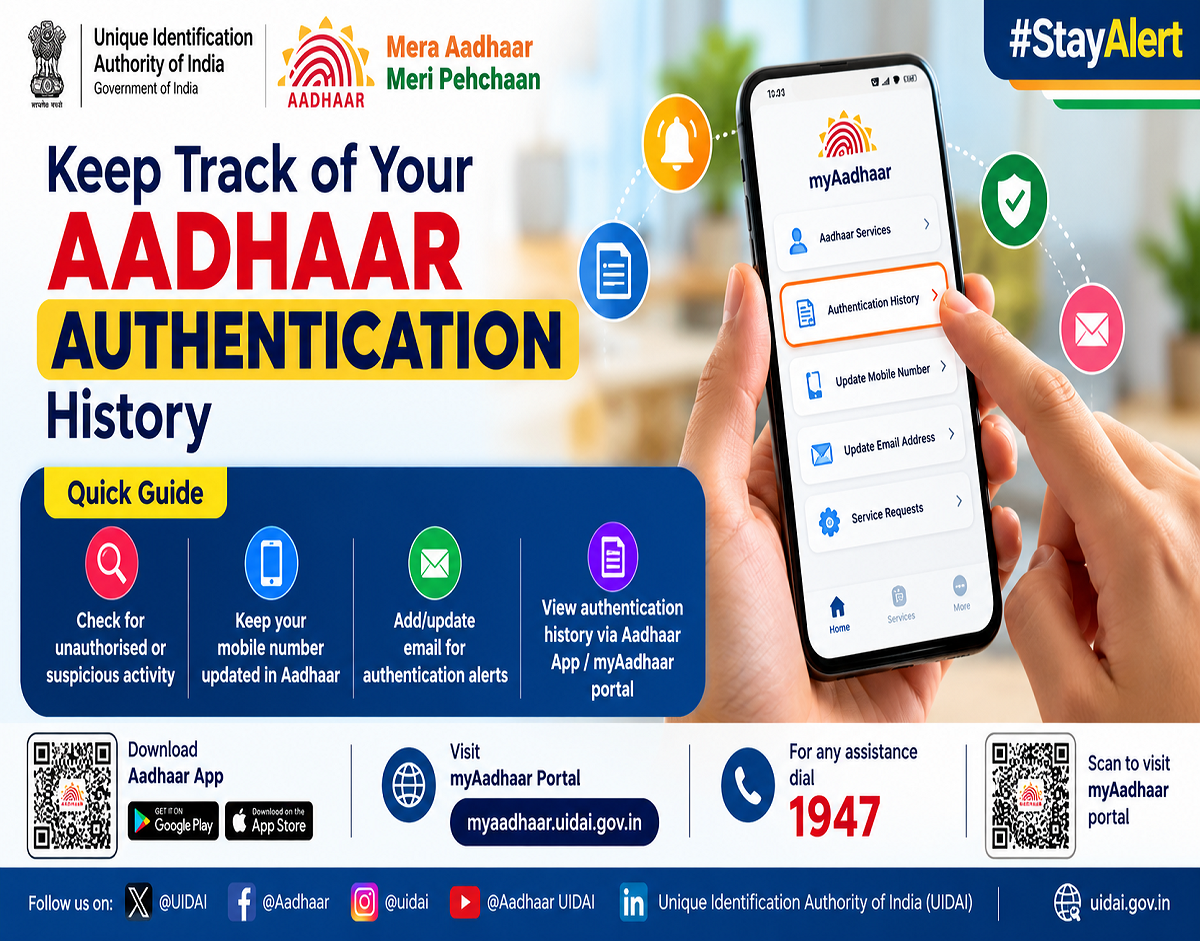
The Unique Identification Authority of India (UIDAI) provides an Aadhaar Authentication History facility that allows users to review authentication transactions associated with their Aadhaar number.
This service can help people identify unfamiliar verification attempts and take appropriate action if they suspect unauthorised activity.
The facility is accessible through UIDAI's official online services, and users can check their records without visiting an Aadhaar enrolment centre.
What Is Aadhaar Authentication History?
Aadhaar Authentication History is an online service that provides details of authentication requests processed through UIDAI.
Whenever an authorised organisation requests Aadhaar authentication, the transaction may appear in the history maintained by UIDAI.
These records can help users understand when an authentication request was made, the method used and whether the request was successful.
However, the service does not provide a complete record of every occasion when someone viewed, photocopied or collected an Aadhaar document.
It specifically concerns authentication transactions recorded by UIDAI.
How to Check Aadhaar Authentication History Online
UIDAI allows Aadhaar holders to view authentication transactions from the previous six months. Users can access up to 50 records at a time.
Follow these steps to check your Aadhaar history:
- Visit the official myAadhaar Portal.
- Select the login option.
- Enter your 12-digit Aadhaar number or the permitted Virtual ID (VID).
- Complete the security verification and request an OTP.
- Enter the OTP received on your Aadhaar-registered mobile number.
- Open the Authentication History service.
- Select the required date range and authentication type, where these options are provided.
- View the transaction records displayed on the screen.
If you have more than 50 transactions, select a shorter date range to review additional records.
What Information Can You See in Aadhaar History?
The service provides details that can help users identify when and how their Aadhaar was authenticated.
| Information | What It Shows |
|---|---|
| Authentication date | When the request was made |
| Authentication time | Time of the transaction |
| Authentication method | OTP, biometric or demographic verification |
| Agency details | Name of the Authentication User Agency (AUA) |
| Transaction ID | Reference number associated with the request |
| Authentication status | Whether verification succeeded or failed |
| Error code | Reason for failure, where applicable |
UIDAI confirms that authentication history includes these transaction details.
Can You Check Aadhaar History on Your Mobile Phone?
Yes. Aadhaar authentication history can also be accessed through UIDAI's official Aadhaar mobile application.
The app offers several Aadhaar-related services, including authentication history, biometric locking, address updates and e-Aadhaar access.
Users should download the application only from the official Google Play Store or Apple App Store and verify that UIDAI is the publisher.
Can You Check Aadhaar History Without a Registered Mobile Number?
No. UIDAI requires access to the mobile number registered with Aadhaar for authentication history verification.
The OTP is sent to that registered number.
If your registered number is no longer accessible, you may need to update it through an authorised Aadhaar centre before using the online service.
What Should You Do if You Find an Unknown Transaction?
An unfamiliar authentication entry does not necessarily prove fraud. It could relate to an earlier verification that you have forgotten.
However, users should investigate transactions they do not recognise.
Check the transaction date, time, authentication method and agency details.
If the record remains suspicious, contact the concerned Authentication User Agency and report the issue to UIDAI.
You can also consider locking your Aadhaar biometrics to prevent further biometric authentication until the matter is clarified.
How to Lock Aadhaar Biometrics
UIDAI provides a biometric locking facility that restricts the use of fingerprints, iris scans and face authentication.
To activate it, visit the myAadhaar portal and select the biometric lock/unlock service.
Complete the required verification and follow the instructions.
Once biometric locking is enabled, biometric authentication will not work until the lock is temporarily removed or disabled.
OTP-based authentication may still be available.
Biometric locking is different from locking the Aadhaar number itself, which imposes broader authentication restrictions.
Where to Report Suspected Aadhaar Misuse
IMPORTANT HELPLINES
UIDAI Aadhaar Helpline
1947
Copy
National Cybercrime Helpline
1930
Copy
For Aadhaar-related complaints, users can contact UIDAI at help@uidai.gov.in or call 1947.
If the suspicious activity involves financial cybercrime, report it promptly through 1930 or the National Cyber Crime Reporting Portal.
Why Should You Check Aadhaar History Regularly?
Checking Aadhaar authentication records can help users identify unusual verification attempts and better understand how their Aadhaar credentials are being used.
It is especially useful for individuals who frequently use Aadhaar for banking, government services or identity verification.
However, the history is not a complete audit of every possible use of an Aadhaar document. Offline document sharing and some non-authentication activities will not necessarily appear.
Users should also avoid sharing Aadhaar OTPs with unknown callers and use masked Aadhaar or other permitted identity verification methods where appropriate.
Conclusion
UIDAI's Aadhaar Authentication History facility gives individuals a convenient way to review authentication activity from the previous six months.
Users can check up to 50 transactions at a time, examine authentication methods and identify unfamiliar requests.
If you notice a suspicious transaction, review the details, consider locking your biometrics and contact UIDAI through its official support channels.
Regularly checking Aadhaar authentication history is a useful security precaution that can help protect your identity and personal information.
Source: Unique Identification Authority of India (UIDAI), official Authentication History FAQs and Aadhaar online services, accessed October 27, 2026.