Aadhaar Card Update 2026: Students preparing for competitive examinations, government recruitment tests and college admissions should carefully check the personal details printed on their Aadhaar cards. Even a small difference in name, date of birth or other identification information can create difficulties during document verification.
The Aadhaar card, issued by the Unique Identification Authority of India (UIDAI), is widely used for identity verification across various government and private services.
For students applying for examinations conducted by recruitment agencies, universities and other institutions, keeping identification documents accurate is particularly important.
Candidates should ensure that their Aadhaar details match the information submitted in their application forms and other documents, wherever the examination authority requires such consistency.
Here is how to check and update Aadhaar details, including name, date of birth, mobile number, photograph and biometrics.
1. Check Your Aadhaar Name and Date of Birth
Before filling out an examination application, compare the details on your Aadhaar card with your Class 10 certificate and other relevant educational documents.
Pay particular attention to:
- Full name and spelling.
- Date of birth.
- Gender.
- Photograph.
- Mobile number registered with Aadhaar.
A mismatch does not automatically make a candidate ineligible for an examination. However, it may create complications if the recruiting organisation requires matching identity details.
Students should follow the document requirements mentioned in the official examination notification.
For many recruitment processes, the Class 10 certificate is an important reference document for verifying the candidate's name and date of birth.
2. How to Update Your Name on Aadhaar
If your name is incorrect on your Aadhaar card, you can request a correction through an authorised Aadhaar Seva Kendra or Aadhaar enrolment and update centre.
The general procedure is:
Step 1: Visit the official UIDAI website at https://uidai.gov.in/.
Step 2: Find the Aadhaar update or appointment booking service.
Step 3: Locate an authorised Aadhaar centre.
Step 4: Carry the original supporting identity documents accepted by UIDAI.
Step 5: Request a name correction and submit the necessary information.
Step 6: Complete verification and pay the applicable fee.
Step 7: Collect the acknowledgement slip containing the update request details.
UIDAI places limits on certain demographic updates, including name changes. Additional documentation or a special approval process may be required in some cases.
Therefore, candidates should not submit repeated correction requests without checking the applicable rules.
3. How to Correct Your Date of Birth on Aadhaar
An incorrect date of birth can cause difficulties during age verification for competitive examinations and government recruitment.
UIDAI allows date-of-birth correction subject to its documentation requirements and applicable restrictions.
Generally, a date-of-birth update requires an acceptable proof-of-date-of-birth document.
Candidates should check UIDAI's current list of accepted documents before visiting an authorised centre.
The procedure generally involves submitting the update request, providing supporting documentation and completing verification.
Important: Date-of-birth changes are subject to strict limits. UIDAI generally permits a date-of-birth update only once through the standard process, with exceptional cases handled separately.
Students should therefore verify their details carefully before submitting a correction request.
4. How to Update Your Mobile Number on Aadhaar
A working mobile number linked to Aadhaar is important for accessing several online services.
Many Aadhaar-related transactions use OTP verification sent to the registered mobile number.
If your old number is inactive, lost or no longer accessible, you should update it through an authorised Aadhaar centre.
Steps to Change Your Aadhaar Mobile Number
- Locate an authorised Aadhaar enrolment or update centre.
- Visit the centre with your Aadhaar number or other required details.
- Request a mobile number update.
- Provide the new mobile number.
- Complete the prescribed verification process.
- Pay the applicable update fee.
- Keep the acknowledgement slip for tracking.
A mobile number cannot ordinarily be changed simply by entering a new number on the myAadhaar website.
The update must be completed through an authorised facility using the procedure prescribed by UIDAI.
Students should complete this process well before an examination or recruitment deadline.
5. How to Change Your Photograph on Aadhaar
If your Aadhaar photograph is outdated, you can request a biometric update at an authorised Aadhaar centre.
The photograph cannot normally be replaced by uploading a selfie through the Aadhaar website.
Instead, the authorised operator captures a new photograph during the update process.
Aadhaar Photo Update Process
Step 1: Visit an authorised Aadhaar update centre.
Step 2: Request a biometric update.
Step 3: Complete the required identity verification.
Step 4: Have your new photograph captured at the centre.
Step 5: Pay the applicable fee and collect the acknowledgement.
Step 6: Track the request through UIDAI's official services.
A photograph update may be useful when the existing Aadhaar image is very old and no longer resembles the cardholder closely.
However, students should check whether their examination authority specifically requires an Aadhaar photograph update.
6. Aadhaar Biometric Update: Important Rules for Students
Aadhaar biometric information includes fingerprints, iris scans and a photograph.
Children enrolled in Aadhaar at a young age are subject to mandatory biometric update requirements at prescribed ages.
UIDAI provides for mandatory biometric updates when children reach the relevant age milestones, including 5 and 15 years.
Students whose biometric records have not been updated as required should check their status through an authorised Aadhaar centre.
Outdated biometric information can sometimes create difficulties during authentication.
The applicable charges and fee exemptions depend on UIDAI's current rules.
7. What If Your Aadhaar Card Is Damaged or Lost?
If your Aadhaar card is torn, damaged or misplaced, you do not necessarily need to apply for a new Aadhaar number.
You can download an electronic Aadhaar copy through the official myAadhaar service.
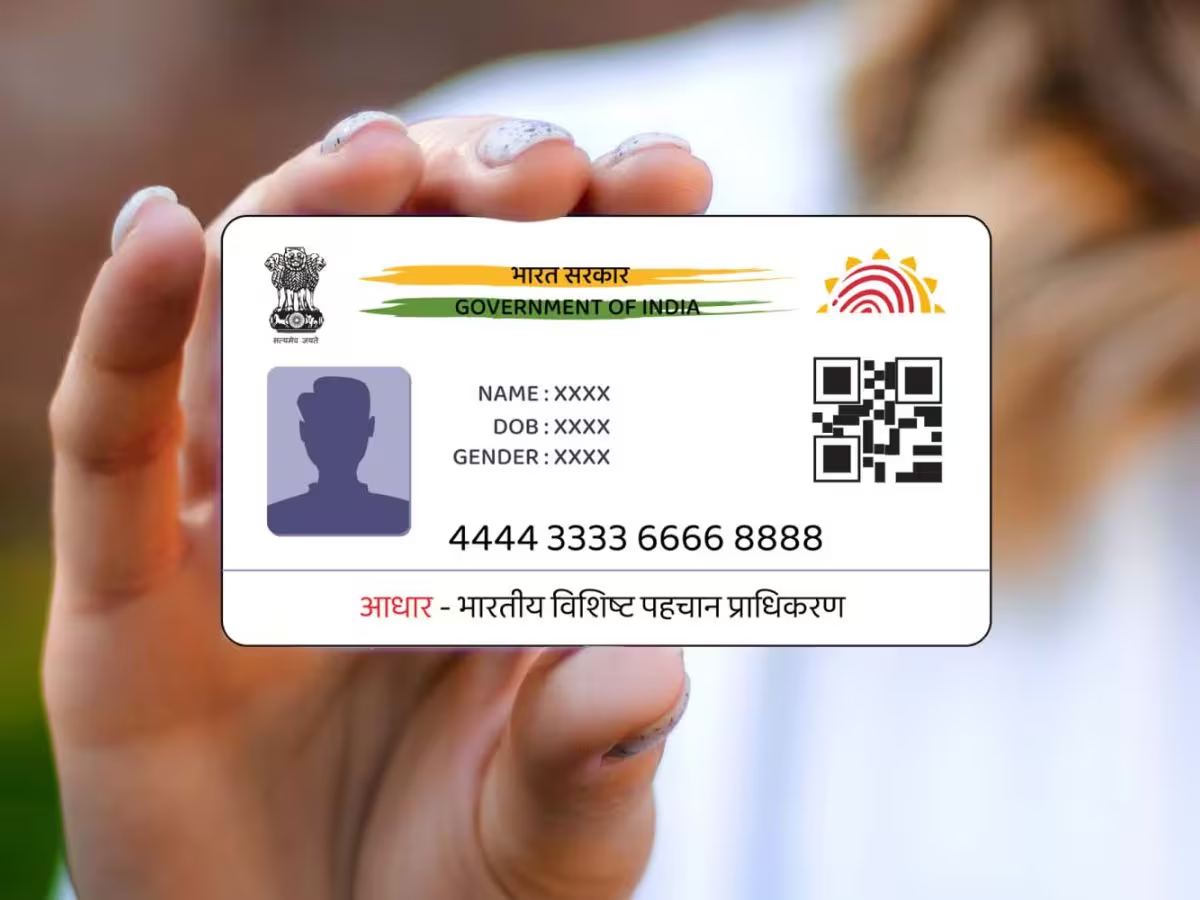
UIDAI also provides a facility to order an Aadhaar PVC card.
The PVC version is a compact plastic card containing the relevant Aadhaar details and security features.
It can be convenient for people who frequently carry physical identification documents.
How to Order an Aadhaar PVC Card
- Visit https://myaadhaar.uidai.gov.in/.
- Select the Aadhaar PVC card ordering service.
- Enter the required Aadhaar details.
- Complete the prescribed authentication process.
- Pay the applicable fee.
- Save the request details for tracking.
The PVC card contains the same Aadhaar number. It does not create a new identity record.
8. Can You Update Aadhaar Details Online?
Not every Aadhaar detail can be changed online.
Some services are available through the official myAadhaar portal, while others require a visit to an authorised centre.
| Aadhaar Detail | General Update Method |
|---|---|
| Name | Authorised Aadhaar centre |
| Date of birth | Authorised Aadhaar centre |
| Mobile number | Authorised Aadhaar centre |
| Photograph | Biometric update at Aadhaar centre |
| Fingerprints and iris | Authorised Aadhaar centre |
| Address | Eligible online update service or Aadhaar centre |
| Aadhaar PVC card | Online ordering facility |
The availability of specific online services may change according to UIDAI's latest instructions.
Customers should always check the official portal before starting an update request.
9. How to Check Aadhaar Update Status
After submitting an Aadhaar correction request, you can track its progress online.
Visit the official myAadhaar portal and look for the update status service.
Enter the acknowledgement or request details required by the system.
The portal will display the available processing status.
Processing times can vary depending on the type of update and the verification required.
Students should avoid assuming that an Aadhaar correction will be completed immediately.
10. Important Advice for Competitive Exam Candidates
Before applying for a government job or competitive examination, carefully review your identification documents.
Make sure your name and date of birth are entered correctly in the application form.
If there is a mismatch, check the recruitment authority's official instructions to determine which document should be used.
Do not wait until the admit card is issued to identify major errors.
Keep an accessible copy of your Aadhaar and other required identification documents.
Also remember that Aadhaar is not automatically mandatory for every examination. Candidates should follow the specific identity requirements stated in the official notification.
Where to Get Aadhaar Assistance
For official information and support, use the following UIDAI services:
UIDAI official website: https://uidai.gov.in/
myAadhaar portal: https://myaadhaar.uidai.gov.in/
Aadhaar helpline: 1947
Avoid unofficial websites or agents claiming they can bypass UIDAI's document requirements or guarantee instant corrections.
Final Update
Students preparing for government jobs, entrance examinations and other competitive tests should verify their Aadhaar details before submitting applications.
Incorrect names, dates of birth, inactive mobile numbers and outdated photographs may create difficulties during certain verification processes.
UIDAI provides authorised facilities for correcting demographic details, updating biometrics and obtaining a replacement Aadhaar PVC card.
The safest approach is to check your documents early, use official UIDAI services and follow the identification rules specified by the examination authority.