Meta Description: Worried someone is accessing your WhatsApp account? Discover five warning signs, how to check linked devices, remove suspicious access and secure your account.
WhatsApp Account Security 2026: WhatsApp is widely used for personal conversations, professional communication, photographs and important documents. If an unauthorized person gains access to your account, they may be able to read available messages, contact people in your name or attempt financial scams.
In some cases, users may not immediately realize that their WhatsApp account is connected to an unfamiliar computer, tablet or smartphone.
According to a Gadgets Now report, checking linked devices, unexpected messages, verification codes, profile changes and unusual logout activity can help identify possible unauthorized account access.
However, a single suspicious notification does not necessarily mean your account has been hacked.
Here are five warning signs to watch for and the steps you should take if something appears unusual.
1. Unknown Devices Appear in WhatsApp Linked Devices
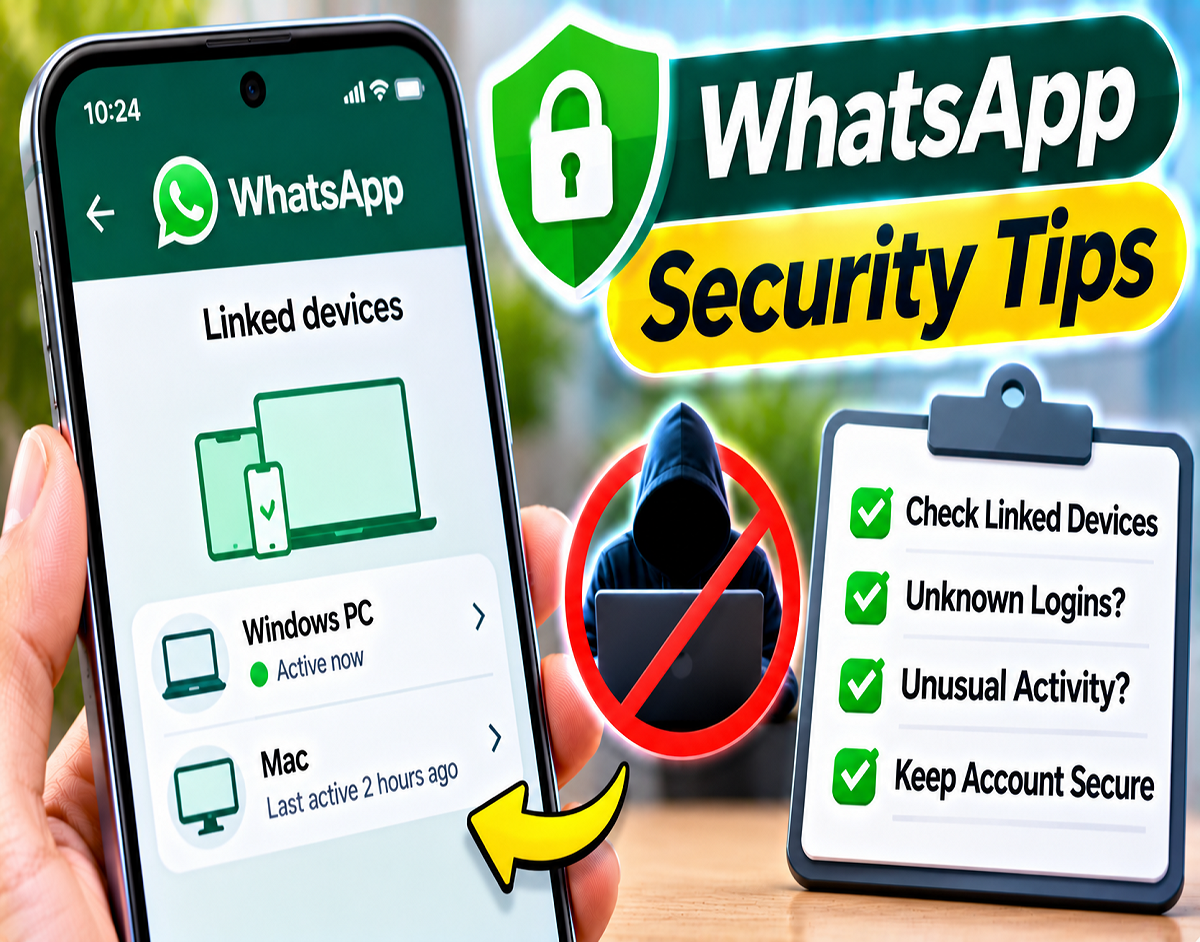
One of the simplest ways to check account security is through WhatsApp's Linked Devices feature.
WhatsApp allows users to connect their accounts to supported computers, tablets and additional devices.
If someone manages to link an unfamiliar device to your account, they may gain access to WhatsApp information available through that connection.
How to Check Linked Devices on Android
- Open WhatsApp on your Android smartphone.
- Tap the three-dot menu in the upper-right corner.
- Select Linked Devices.
- Review the connected devices.
- Tap any device you do not recognize.
- Select Log Out to disconnect it.
How to Check Linked Devices on iPhone
- Open WhatsApp on your iPhone.
- Go to Settings.
- Select Linked Devices.
- Review the list of connected devices.
- Select an unfamiliar device.
- Tap Log Out.
If you find an unknown connection, remove it immediately and review your other account security settings.
2. Messages Are Sent Without Your Knowledge
Another warning sign is discovering messages, photographs, videos or links sent from your WhatsApp account that you do not remember sending.
Pay particular attention to messages requesting money, asking for OTPs or directing contacts to unfamiliar websites.
What should you do?
Check your recent personal and group conversations. If you notice suspicious messages, contact the recipients and warn them not to follow unexpected instructions.
You can also ask trusted contacts whether they have received unusual messages from your number.
However, unfamiliar messages alone do not prove that your WhatsApp account was remotely compromised. Someone with physical access to your unlocked phone may also have sent them.
3. You Receive a WhatsApp Verification Code You Did Not Request
WhatsApp uses a verification process when registering an account with a mobile number.
If you unexpectedly receive a six-digit registration code, someone may be attempting to register WhatsApp using your phone number.
This does not automatically mean they have gained access.
What should you do?
Never share your WhatsApp verification code with anyone.
Be cautious if someone claims to be a WhatsApp representative and asks for the code. The same applies to suspicious requests that appear to come from friends or family members.
If you receive an unsolicited verification code, do not enter it into unfamiliar websites or share it through messages.
Review your account security settings if other suspicious activity is also present.
4. Your WhatsApp Profile or Privacy Settings Change Unexpectedly
Unexplained changes to your profile can indicate that someone has accessed your phone or account.
Review the following information:
- Profile photo: Check whether your picture has changed without your knowledge.
- About information: Look for text you did not add.
- Privacy settings: Review your Last Seen, profile photo visibility and other privacy controls.
- Status updates: Check whether any unfamiliar status has been published.
An unexpected change does not necessarily confirm unauthorized access. However, if several suspicious signs appear together, examine your Linked Devices list and phone security.
5. WhatsApp Suddenly Logs You Out
An unexpected logout deserves attention, especially if WhatsApp says your number is no longer registered on your phone.
A WhatsApp number generally has one primary registered phone at a time, although supported companion devices can also be linked.
If someone successfully registers your number as the primary account on another phone, your original device may be logged out.
Technical problems can also cause login issues, so the reason should be investigated.
How to Recover Your WhatsApp Account
- Open the official WhatsApp application.
- Enter your mobile number.
- Request the registration code through the supported verification process.
- Enter the six-digit code received by SMS or phone call.
- Complete the account registration process.
- Review Linked Devices and account security settings.
According to WhatsApp's account recovery guidance described in the supplied report, registering your account again with the verification code can disconnect someone using the number as the primary registration on another phone.
If an unknown two-step verification PIN has been enabled, additional recovery steps or a waiting period may apply.
WhatsApp Account Security: Five Warning Signs at a Glance
| Warning Sign | Possible Explanation | Recommended Action |
|---|---|---|
| Unknown linked device | Another device may have access | Disconnect it immediately |
| Messages you did not send | Unauthorized account or phone use | Check chats and warn contacts |
| Unexpected OTP | Someone may be attempting registration | Never share the code |
| Unexplained profile changes | Account settings may have been altered | Review privacy and linked devices |
| Sudden logout | Number may have been registered elsewhere | Re-register and secure the account |
These are potential indicators, not definitive proof of hacking.
What to Do Immediately If You Suspect Unauthorized Access
If you believe someone else is using your WhatsApp account, take action as soon as possible.
First, check Linked Devices. Disconnect any computer, browser or smartphone you do not recognize.
Second, regain access if necessary. If you have been logged out, use the official WhatsApp registration process to verify your mobile number again.
Third, enable additional security. Activate Two-Step Verification and review available passkey and device-lock options.
Fourth, warn your contacts. If suspicious messages were sent from your number, tell friends, relatives and colleagues not to send money or share personal information in response.
Finally, secure your phone and mobile number. Use a strong screen lock. If you suspect your SIM has been compromised or your number is no longer under your control, contact your mobile operator immediately.
How to Enable Two-Step Verification on WhatsApp
Two-Step Verification provides an additional PIN-based security measure for account registration.
Follow these steps:
- Open WhatsApp.
- Go to Settings.
- Select Account.
- Tap Two-step verification.
- Follow the instructions to enable the feature.
- Create a secure PIN.
- Add a recovery email address if the option is available.
Keep the PIN private and use an email account that you can access securely.
A recovery email may help if you forget the PIN or need assistance with supported account recovery procedures.
What If Someone Changes Your Two-Step Verification PIN?
If an unauthorized person activates Two-Step Verification or changes the PIN, recovering your account may become more complicated.
The supplied report notes that WhatsApp's recovery process may require a waiting period of up to seven days in certain situations when the PIN is unavailable.
The exact recovery steps depend on your account's circumstances and the options WhatsApp provides.
Follow the instructions shown in the official application rather than relying on third-party recovery services.
Can WhatsApp Passkeys Improve Account Security?
WhatsApp supports passkeys on eligible devices.
Passkeys allow supported authentication methods, such as fingerprint recognition, facial recognition or a device screen lock, to be used during certain account verification processes.
Availability depends on the operating system, device and WhatsApp version.
Users can check the Account settings for an available Passkeys option.
Passkeys provide another security tool, but they do not replace the need to protect your mobile number and device.
Can Someone Read Your Old Chats After Registering Your Number?
Registering a WhatsApp number on another primary phone does not automatically transfer every conversation stored locally on the original device.
However, the risk may be different if someone already has access through a linked device or can access relevant chat backups and authentication information.
WhatsApp's end-to-end encryption protects messages during supported communication, but users must still secure their accounts, devices and backups.
Important Tips to Keep Your WhatsApp Account Safe
- Never disclose your six-digit WhatsApp registration code.
- Enable Two-Step Verification and add a recovery email.
- Regularly review Linked Devices.
- Avoid scanning suspicious QR codes that may link an unfamiliar device.
- Install WhatsApp only from official distribution sources.
- Keep the application updated.
- Use fingerprint, face recognition or other supported app-lock features.
- Verify unusual requests for money, passwords or personal information.
Conclusion
Unauthorized WhatsApp access can put personal conversations and contacts at risk.
Unknown linked devices, messages you did not send, unexpected verification codes, unexplained profile changes and sudden logouts are five warning signs worth investigating.
If you notice suspicious activity, disconnect unfamiliar devices, regain account access through official verification and activate Two-Step Verification.
Regular security checks and careful handling of registration codes can significantly reduce the risk of someone misusing your WhatsApp account.